Visium Set-Back Box
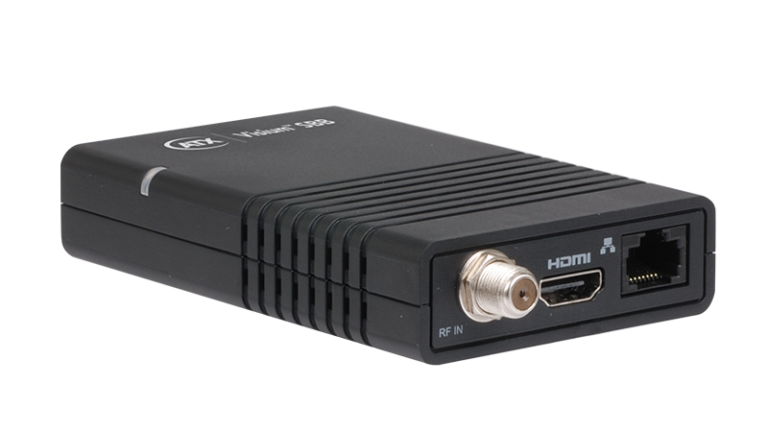
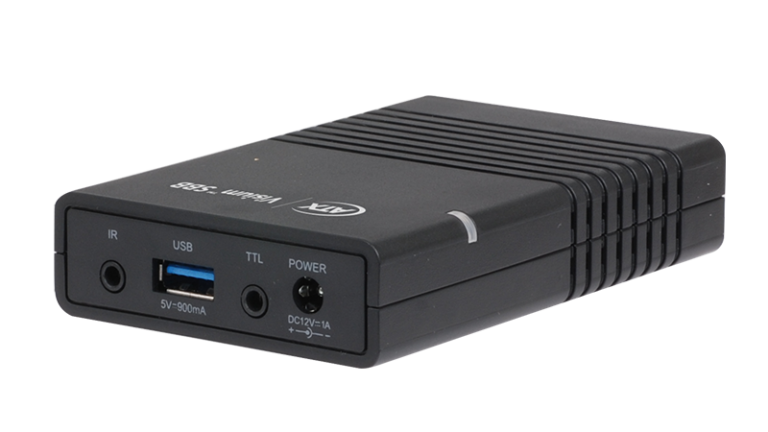
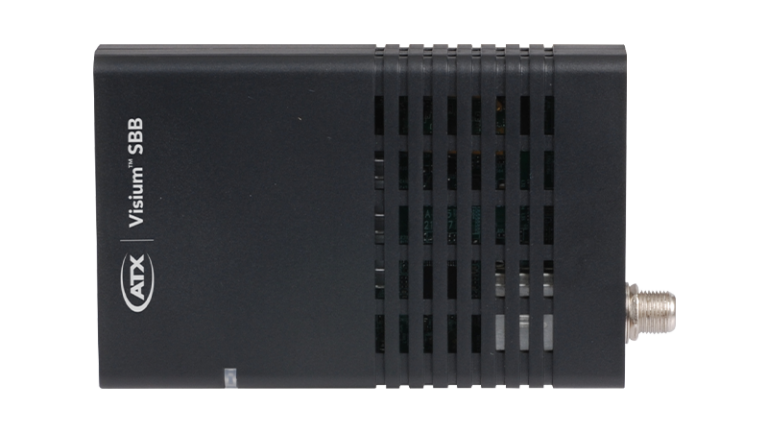
ATX’s Visium™ Set-Back Box (SBB) is a low-cost security adapter designed to enable commercial video service providers to bring hospitality and other commercial customers into compliance with security requirements through the delivery of encrypted bulk video to properties lacking Pro:Idiom™-capable TVs. ATXs Visium SBB is an ideal solution for commercial accounts currently being served with clear QAM video. The SBB solution allows MPEG4-based service delivery to properties with MPEG2-only capable TVs. The SBB features an Integrated Program Guide (IPG) designed to improve hotel guests’ experiences by significantly simplifying the navigation of lengthy channel line-ups. Self-configuration and centralized management and monitoring capabilities through ATXs Visium Manager, a cloud-based element management system, simplify deployment and reduce operational complexity.
Benefits

- Security Compliance – Brings commercial properties being served with clear QAM video into compliance with content protection obligations by enabling non-commercial TVs to receive Pro:Idiom™ encryption.
- Enhanced User Experience – Enables hospitality venues to enhance guest-viewing experiences by providing Interactive Program Guide functionality for customers with bulk video service delivered centrally or through a gateway.
- Cost Efficiencies – Priced to enable service providers to deliver a secure and enhanced viewing experience at a price point that enables meaningful return on investment.
- Legacy TV Adaptation – Enables commercial video service providers to deliver MPEG4-based service delivery to properties with MPEG2-only TVs.
- Deployment Simplicity – Orchestrates basic bulk management without integration into MSO residential backend and conditional access control systems, vastly simplifying deployments into hospitality and commercial environments.
- Network Simplification – The Visium SBB’s support for IGMP v3 alleviates the need for dense-mode multicast switches throughout premises, enabling service providers to reduce network complexity and costs.
Features
- Compact size and IR extender for easy out-of-sight mounting
- Pro:Idiom™ decryption capability
- QAM and IP video ingest
- HDMI output
- Intuitive, professional UI with customizable branding and Interactive Program Guide
- WiFi module for IPG updates, configuration and monitoring via Visium Manager (EMS)
- Programmable learning buttons for TV power and volume on remote control enable single remote operation
- Offline/Standalone operating mode option supports auto-scan for channel lineup and IPG population from in-band PSIP or DVB-SI guide data


Bulk Media Distribution: Small & Medium Businesses

ATX Networks is helping video service providers break through market barriers and rewrite the rules of engagement in the commercial space. Through the bulk delivery of video and related services to MDUs, healthcare facilities and hospitality venues, such as hotels and sports arenas, Pay TV operators can reach a largely untapped and potentially lucrative commercial market.
Related Insights
See it Live @ SCTE TechExpo26
The best conversations happen in front of the tech. Dive into solutions that break down silos across HFC, media distribution and energy storage. Request time with the ATX team (Booth: A159) to demo what resilience and experience can look like for your network.
Learn MoreVisium Venue Managed Video Solution
An inside-look at a managed video solution optimized for restaurants, sports bars and other SMBs
Download Solution BriefATX Visium SBB Security Adapter Gains Traction in Commercial DIRECTV Installations
ATX distribution partner NACE cites surge in demand driven by enhancements to device’s interactive program guide.
Read Press ReleaseNew API Extends the Utility of ATX Visium SBB Security Adapter in Enterprise Environments
Software enhancement enables ubiquitous and easy integration with third-party centralized management and control systems often used in public venues.
Read Press ReleaseCDE Lightband Plugs in ATX Visium SBB to Enhance Services to Commercial Customers
Tennessee-based municipal service provider deploys ATX’s security adaptor to deliver upgraded video services without requiring residents of senior living facilities to purchase new televisions.
View Press ReleaseVisium Set-Back Box Security Adapter
Dive into the Visium Set-Back Box to add secure, encrypted channels and a simple guide to older TVs—no replacements needed.
Download Solution BreifSecure and Enhance the In-Room Video Experience in Seconds
Upgrade guest-room TVs in seconds with Visium SBB—add Pro: Idiom security and an on-screen guide without replacing sets.
Download eBookSecure & Enhance In-Room Video Experience in Seconds
Learn what hotels and other commercial businesses can do to quickly and cost-efficiently enhance the in-room guest experience.
Replay WebinarSpecifications & Documentation
Manual: Visium Set-Back Box – VSSB100 Operation Manual – Firmware 1.0.1.322 and above (ANW2068)
Manual: VSBB100 & Visium Manager – Initial Configuration (ANW2028)
Quick Start Guide: VSBB100 Remote Control – Version 1 (ANW2033)
Quick Start Guide: VSBB100 Remote Control – Version 2 (ANW2034)
Quick Start Guide: VSBB100 for Offline Mode-Software v.278 and older (ANW2054)
Quick Start Guide: VSBB100 for Offline Mode-Software v.322 and above (ANW2081)
Technical Bulletin: IPTV Network Recommendations for VSBB – Short (ANW2082)
Technical Bulletin: IPTV Network Recommendations for VSBB – Detailed (ANW2083)

