Visium Set-Back Box
A pocket-sized security adapter that turns any residential television into a fully compliant commercial display. The Visium Set-Back Box (SBB) delivers encrypted content, an interactive program guide and centralized control to any screen, without replacing the TV, without running new cable and without sending a technician every time something changes.
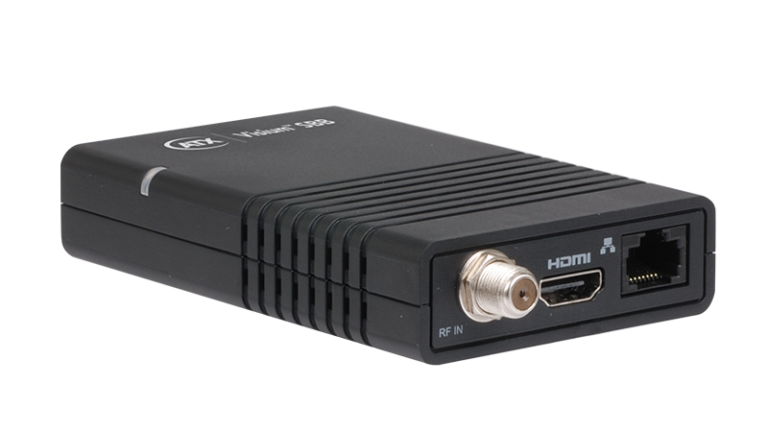
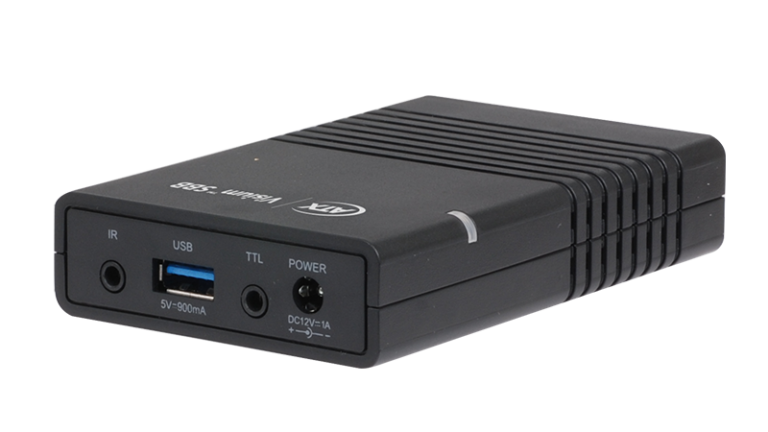
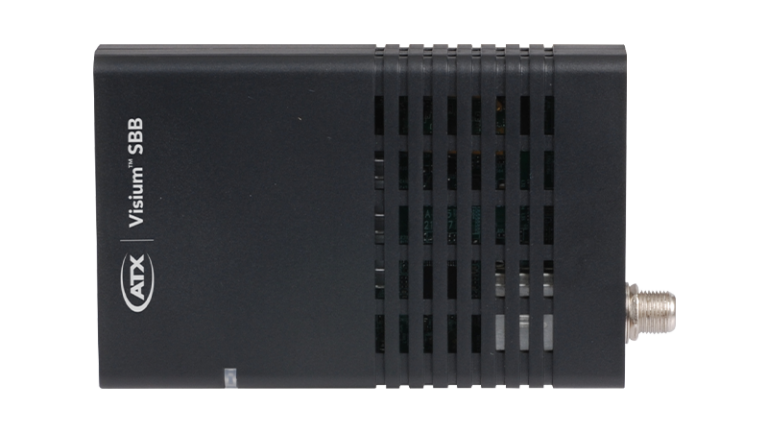

No TV replacement needed
Brings any residential television into full commercial compliance — encrypted content, proper guide data, centralized control. A fraction of the cost of new hardware.
Encrypted content delivery
Receives and decrypts encrypted content from the gateway, meeting content owner security requirements on screens that have no built-in capability to do so.
Guide data without internet
Auto-scans and populates an interactive program guide from in-band data, no internet connection required. Guests get a full, responsive guide regardless of the property's connectivity.
Centralized management
Managed and monitored through Visium Manager, configured remotely, updated over the air and registered automatically on first power-up.
What it actually does
A portion of commercial properties — across hotels, hospitals, senior living facilities and venues — are running televisions that weren’t designed for encrypted content delivery. Your options have historically been limited: run analog, serve content in the clear while accepting the compliance risk, or deploy residential set-top boxes at each screen and live with the poor experience that comes with them.
The Visium SBB is a fourth option. It sits behind any residential TV, takes the encrypted signal from the gateway, decrypts and outputs it via HDMI, so the TV sees a clean picture and the content owner sees a compliant deployment. It also handles MPEG4 content delivery to TVs that only support MPEG2, extending the life of your existing hardware further.
Beyond compliance, it meaningfully improves the viewing experience. The built-in interactive program guide replaces the frustrating scrolling channel banner and because it pulls guide data directly from the gateway in-band, it works in environments with no internet access at all.

Third-party integration
In environments where controlling individual televisions by remote is impractical — casinos, airports, corporate campuses, public venues — the Visium SBB can be integrated directly into your existing building management, AV control or digital signage systems.
Generic JSON API
Integrate with any third-party system
A standard JSON API gives any third-party centralized management system, for digital signage, security, AV control or building management, direct access to Visium SBB functions including power, channel selection and volume. No proprietary integration required.
API support is available on already-deployed Set-Back Boxes via firmware upgrade so existing installations don’t need to be replaced to gain this capability.
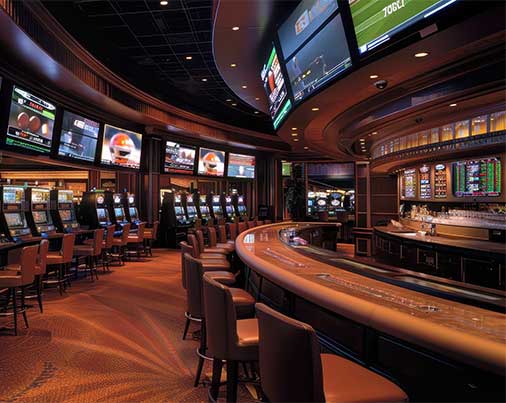
Where it’s used
The Visium SBB is a component in most Visium platform deployments. The Visium SBB is a component in most Visium platform deployments: the device at the screen end of the system, across a wide range of commercial environments.

Features

Part of the Visium platform
The Visium SBB is the screen-end device in most Visium platform deployments, working alongside the Visium MD Mini, MD8 or MD16 Multimedia Gateways and Visium Manager to complete the end-to-end solution. It is also a required component of Visium Venue.
Related Insights
Catch the ATX team at EquipHotel 2026
Join us at Europe's premier hospitality trade show (Booth: P7.3 - F053) to explore how Visium Venue and our full suite of hospitality solutions can help you deliver a seamless, synchronized viewing experience across every screen at your property.
Request a MeetingThe Screen Sync Problem, Solved at Scale: How ATX Networks’ Visium Platform Is Rewiring Managed Video
See how ATX's Visium platform is helping a Tier 1 MSO deliver modern, app-controlled video across bars, restaurants and multi-dwelling properties — at scale.
Read Press ReleaseVisium Venue Managed Video Solution
An inside-look at a managed video solution optimized for restaurants, sports bars and other SMBs
Download Solution BriefMultiscreen Venue Management
See how ATX's Visium Venue gives PayTV providers a purpose-built solution for small and medium businesses — syncing every screen and putting full content control in the hands of staff with a single device.
Explore SolutionATX Visium SBB Security Adapter Gains Traction in Commercial DIRECTV Installations
ATX distribution partner NACE cites surge in demand driven by enhancements to device’s interactive program guide.
Read Press ReleaseNew API Extends the Utility of ATX Visium SBB Security Adapter in Enterprise Environments
Software enhancement enables ubiquitous and easy integration with third-party centralized management and control systems often used in public venues.
Read Press ReleaseCDE Lightband Plugs in ATX Visium SBB to Enhance Services to Commercial Customers
Tennessee-based municipal service provider deploys ATX’s security adaptor to deliver upgraded video services without requiring residents of senior living facilities to purchase new televisions.
View Press ReleaseATX Showcases Expanded Edge Compute Capabilities of Visium MD Platform at HITEC 2023
Hospitality 5G private network powered by DISH Business among applications to be demonstrated at hospitality industry tech event.
Read Press ReleaseVisium Set-Back Box Security Adapter
Dive into the Visium Set-Back Box to add secure, encrypted channels and a simple guide to older TVs—no replacements needed.
Download Solution BreifSpecifications & Documentation
Manual: Visium SBB – Operation Manual Firmware 1.0.1.322 and above (ANW2068)
Manual: Visium SBB and Visium Manager Initial Configuration (ANW2028)
Quick Start Guide: Visium SBB Remote Control Version 1 (ANW2033)
Quick Start Guide: Visium SBB Box Remote Control Version 2 (ANW2034)
Quick Start Guide: Visium SBB for Offline Mode-Software v.278 and older (ANW2054)
Quick Start Guide: Visium SBB for Offline Mode-Software v.322 and above (ANW2081)
Technical Bulletin: IPTV Network Recommendations for Visium SBB, Short (ANW2082)
Technical Bulletin: IPTV Network Recommendations for Visium SBB, Detailed (ANW2083)
Technical Bulletin: Using IP Streams for Visium SBB (ANW2084)

