Visium MD8 & MD16 Multimedia Gateways
The Visium MD8 and MD16 are the modular, blade-based gateways in the Visium platform — designed for properties and deployments where channel counts, input variety and redundancy requirements go beyond what a fixed-configuration gateway can handle. Both share the same blade architecture and platform ecosystem. The difference is capacity.

Modular by design
Mix and match input, processing and output blades to build exactly the right configuration for each property and add capacity as requirements grow.
Any source, any output
Satellite, ABR streaming, IP multicast, terrestrial and HDMI inputs. Coaxial, analog, multicast and ABR streaming outputs. True any-to-any flexibility across a single chassis.
Built for uptime
Redundant power supplies, hot-swappable blades and a wandering-master architecture mean a single component failure doesn't take the system down.
Proven at scale
Deployed across thousands of commercial locations worldwide, from mid-size hotels to some of the largest hospitality and entertainment venues on the planet.
Choose your configuration
Select chassis size and whether built-in satellite is required. All four configurations run the same blade architecture and are fully compatible with the Visium platform.

ABR / Streaming in
Mid-size venues, mixed inputs
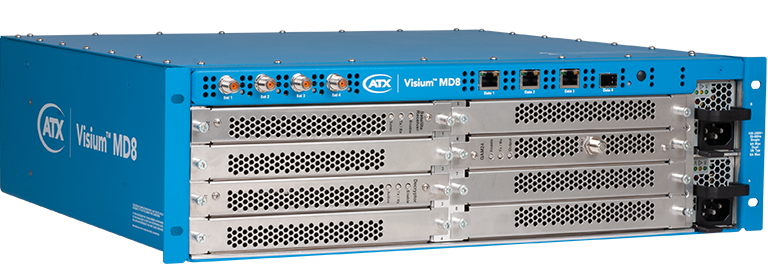
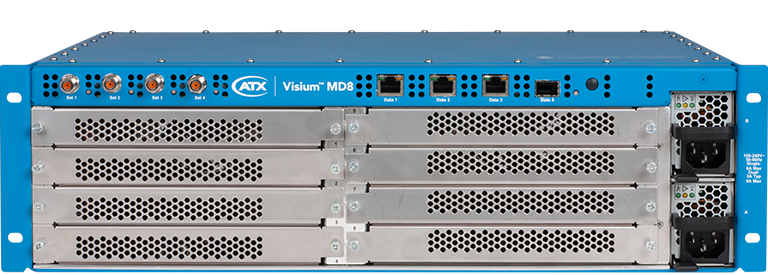
3RU chassis with 8 blade slots. Ideal for mid-size hotels, hospitals, sports clubs and enterprise campuses with high channel counts or mixed input requirements.
Satellite + ABR in
Mid-size venues, satellite-ready
3RU chassis with 8 blade slots and a built-in wideband satellite switch (4 inputs, up to 64 transponders). Everything the ABR version does, with satellite ingest added, so one chassis covers properties fed by satellite, ABR streaming or both.


ABR / Streaming in
Large properties, maximum capacity
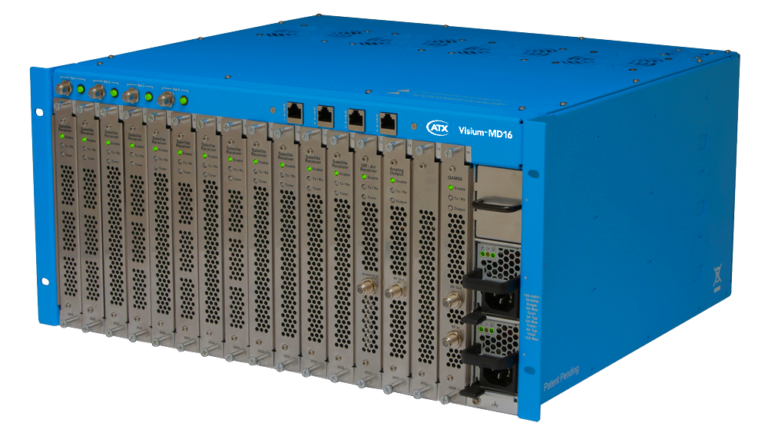
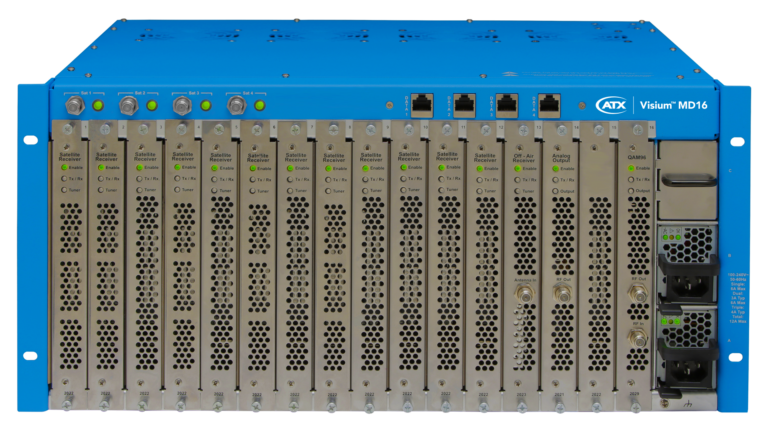
5RU chassis with 16 blade slots — built for large hotels, arenas, hospitals and enterprise campuses where channel counts are high, redundancy is non-negotiable, and multiple output formats may be required simultaneously.
Satellite + ABR in
Large properties, satellite-ready
5RU chassis with 16 blade slots and a built-in wideband satellite switch (4 inputs, up to 192 transponders). Everything the ABR version does, with satellite ingest added. The highest-capacity configuration in the Visium platform.
The blade system
The blade architecture is what gives the MD8 and MD16 their flexibility. A single chassis accepts any combination of input, processing and output blades, letting you configure the gateway precisely for the content sources and output formats your property requires. Blades are hot-swappable and auto-detected on insertion, so adding capacity or changing configuration doesn’t mean taking the system down.
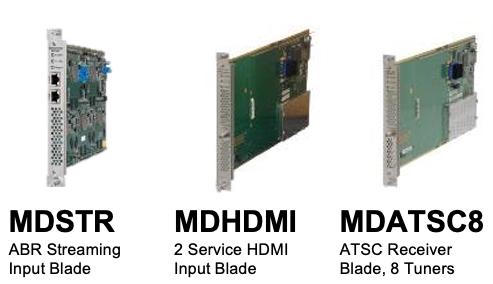
Input blades
Source content from satellite, terrestrial, ABR streaming, IP multicast or HDMI. Encrypted source content remains protected end-to-end as decrypted content never leaves secure silicon.
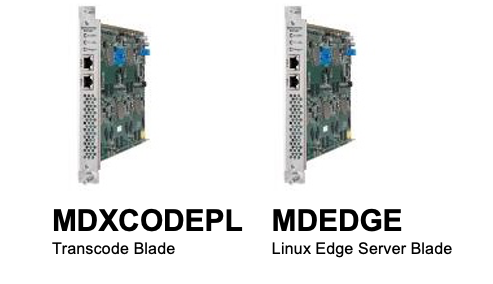
Processor blades
Transcode, watermark and add additional encryption or decryption capability within the chassis, without external hardware.
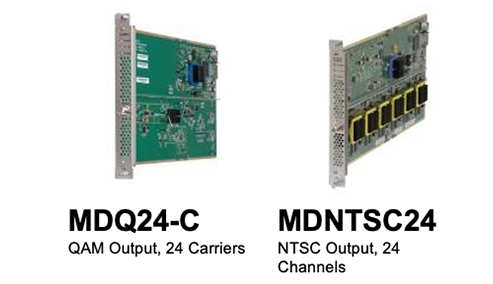
Output blades
Distribute to coaxial, analog, multicast or ABR streaming outputs, or a combination. One chassis can serve multiple output types and network formats simultaneously.
Features
Part of the Visium platform
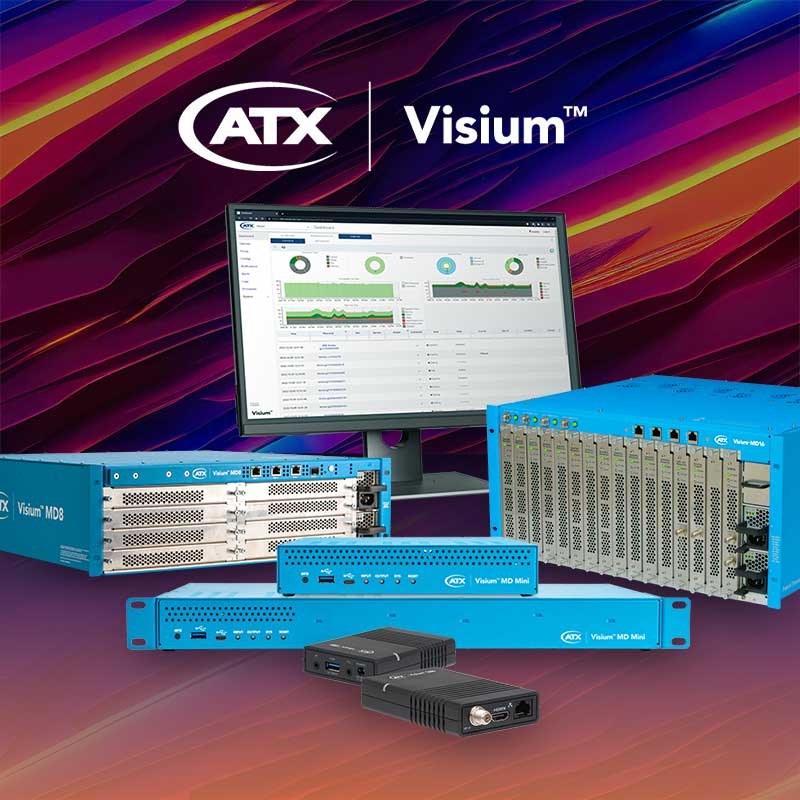
The Visium MD8 and MD16 work alongside Visium Manager, the Visium Set-Back Box and Visium View as part of the broader Visium platform. If you’re running a smaller venue or a simpler deployment where blade configuration isn’t required, the fixed-configuration Visium MD Mini offers the same platform ecosystem in a more streamlined form factor.
Deployed by your video provider
This solution is delivered through your existing video provider as part of their commercial services offering. If you're a property operator, speak to your video provider about their managed video and in-room experience options.
If you're a video provider or systems integrator looking to offer a managed video solution across business venues, hotels, senior living or healthcare facilities, get in touch with ATX to discuss how Visium fits into your commercial portfolio.
Request Info →Related Insights
ATX Networks Previews Visium View: The Right TV Experience for Every Room
Create branded experiences that drive revenue in hotels and bring comfort to senior living and healthcare.
Read Press ReleaseCatch the ATX team at EquipHotel 2026
Join us at Europe's premier hospitality trade show (Booth: P7.3 - F053) to explore how Visium Venue and our full suite of hospitality solutions can help you deliver a seamless, synchronized viewing experience across every screen at your property.
Request a MeetingVisium Venue Managed Video Solution
An inside-look at a managed video solution optimized for restaurants, sports bars and other SMBs
Download Solution BriefATX Showcases Expanded Edge Compute Capabilities of Visium MD Platform at HITEC 2023
Hospitality 5G private network powered by DISH Business among applications to be demonstrated at hospitality industry tech event.
Read Press Release
